
GEMINI ASSESSMENT RESOURCES
Assessment Generation with Gemini
Draft 1–15 assessment items using the Gemini assessment Gem or skill. Receive an HTML item-review infographic with answers and teacher rationales, then review and revise the content before use.
For TEKS and locally developed standards across subjects and grades.
Inside an item-review infographic
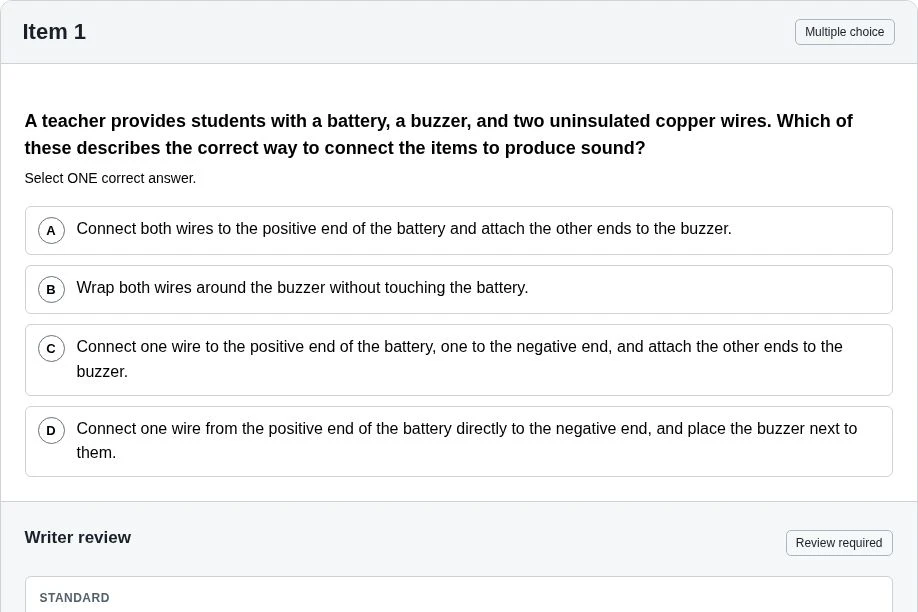
Draft itemsAnswersTeacher rationales
Explore sample assessments
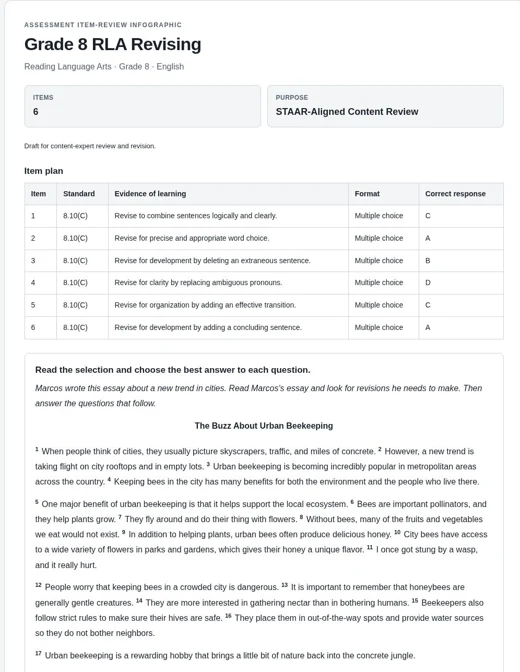
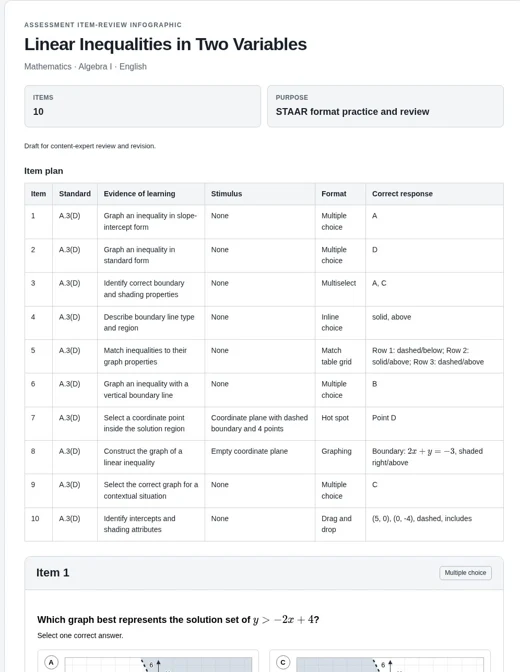
These examples show AI-generated output before content-expert review and revision. They demonstrate the format and workflow and may contain errors in content, alignment, answers, rationales, or visuals.
A structured starting point.
Every output requires content-expert review and revision before use. Errors may be subtle or substantial even when the output looks polished.
What you’ll receive
An item plan
Standards, intended evidence of learning, response formats, and answers in one overview.
Draft assessment items
Questions with passages, tables, graphs, or diagrams when needed for the task.
Teacher review panels
The standard description, correct responses, and explanations for correct and incorrect choices.
From request to reviewed items
How the workflow works
- 01
Provide the target and materials
Include the subject, grade/course, exact standard, and 1–15 items. Supply the passage for passage-based questions and a description or instructional examples for local standards.
- 02
Generate the infographic
Use the Gem or skill with Pro, or Gemini 4 Argon when available in your account. Keep requests and uploads focused.
- 03
Open, review, and revise
Inspect the rendered HTML in Canvas or a browser. Check every item’s accuracy, rigor, choices, key, rationales, equations, and visuals.
- 04
Prepare the final assessment
Direct revisions and check the revised output. Correct the content and prepare final items for your assessment platform.
Before you use the items
Your expertise completes the work.
Guide the content, inspect the rendered output, and review every revision.
Verify the standard and rigor
Check the exact standard, Gemini’s research, and the thinking each item requires. Confirm alignment to your taught curriculum and local expectations.
Check every answer
Solve each item. Check the choices, key, selection count, and every rationale. Look for more than one valid answer and clues that reveal the answer.
Inspect every visual
Check equations, labels, units, scales, coordinates, boundaries, and shading. Generate needed replacement images in a separate conversation, then verify them against the item and key.
Keep the context focused
Detailed, standard-by-standard context files were omitted to accommodate smaller context windows. Supply relevant passages and instructional examples, and verify research and alignment.
Review the rendered HTML
Open the output in Canvas or a browser. Inspect the questions and teacher panels as they display, including the code-based graphs and diagrams.
Prepare the final items
This writer-facing HTML includes answers and rationales. Correct the content and prepare the final items for your assessment platform. Point values and scoring rules are not generated.
Interface guidance reviewed October 1, 2026. Features and availability may vary by account.